Stickman War — Play Free Online
More Driving & Action games


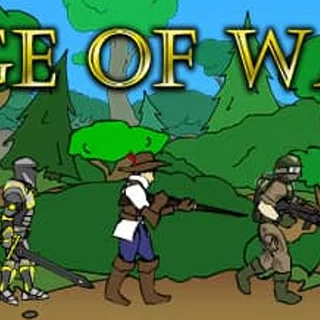





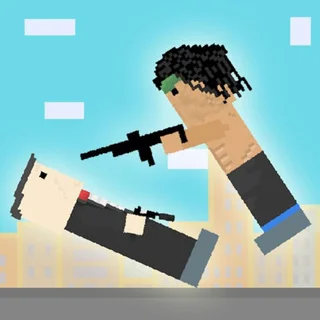
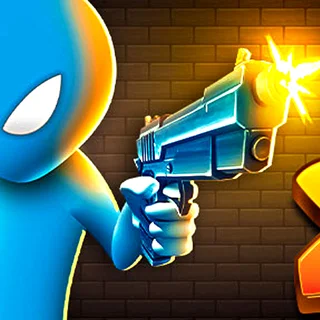
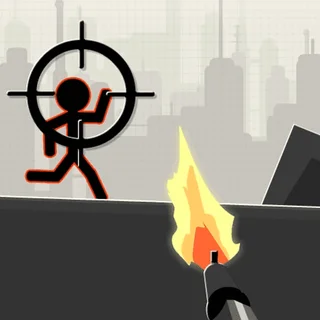
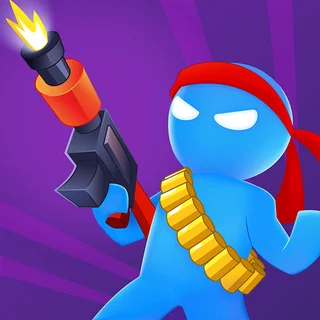
Stickman War is a wave-based action shooter developed by QKY Games and released in 2019. In this game, you defend your position against continuous waves of attacking stick figures by aiming your weapon, firing quickly, and reloading during safe intervals. The game runs directly in any modern desktop or mobile web browser without downloads or installation.
What is Stickman War?
Stickman War puts players in command of a fixed defensive post facing oncoming enemy squads. Your objective is simple: eliminate all advancing stickman soldiers before they overwhelm your defenses. Each level brings new formations and higher enemy density, requiring steady aim and smart timing between shots and reloads.
Key features
- Wave defense: Hostile stickmen attack from multiple directions across consecutive combat stages.
- Cursor aiming: Move your mouse to aim precisely at incoming targets and click to fire.
- Manual reloading: Press the spacebar to replenish your weapon magazine when ammunition runs low.
- Critical hit zones: Landing headshots deals increased impact to neutralize threats rapidly.
- Fast tactical loop: Quick rounds encourage immediate retries after any mistake.
How to play
- Watch the battlefield to spot approaching enemy stickmen as soon as they appear.
- Move your mouse cursor directly over an oncoming target to line up your shot.
- Click the left mouse button to fire your weapon at the hostile unit.
- Aim toward the head of each target to dispatch them with fewer bullets.
- Press the spacebar to reload before your ammunition is completely depleted.
- Wipe out every hostile unit in the wave to clear the stage and proceed.
Controls
| Action | Keyboard / mouse | Touch |
|---|---|---|
| Aim and fire | Mouse movement and left click | Touch and aim on screen |
| Reload weapon | Spacebar | Tap reload button |
Combat timing and reload management
The core challenge in Stickman War stems from weapon downtime. Reloading takes a brief moment during which you cannot fire back at approaching enemies. Because attackers advance continuously, hitting the reload button while several hostile units are closing in will leave your defenses vulnerable. The safest strategy is to reload immediately after clearing an active cluster of enemies rather than waiting for an empty magazine in the middle of a firefight.
Tips and strategy
- Target headshots: Aiming high delivers extra damage, letting you take down attackers with fewer rounds.
- Reload between waves: Never wait until your clip is empty; tap the spacebar during brief pauses in combat.
- Prioritize close threats: Shoot the enemies closest to your defensive perimeter before targeting distant soldiers.
- Keep your cursor active: Position your mouse near the center of incoming paths so you can snap to targets quickly.
- Stay calm under pressure: Firing controlled, accurate shots prevents wasted ammunition and frantic reloading.
Versions and similar games
While most titles on Retro Bowl focus on gridiron football action such as Retro Bowl, Touchdown Rush, and Linebacker Alley 2, Stickman War offers a distinct arcade shooting alternative. Players looking for quick reaction tests between football seasons can enjoy its focused defense mechanics and immediate browser play.
Developer and history
Stickman War was created by QKY Games and launched in March 2019. The title was built using HTML5 web technology, allowing it to run smoothly across desktop computers, tablets, and mobile devices.
Questions about Stickman War
What are the controls for Stickman War?
You aim and shoot by moving and clicking your mouse, and you press the spacebar whenever you need to reload your weapon.
Who developed Stickman War?
Stickman War was developed by QKY Games and released in 2019 as a browser-based action shooter.
How do you defeat enemies faster in Stickman War?
Aim for headshots on incoming stickmen to inflict maximum damage and eliminate attackers before your ammunition runs out.
Can you play Stickman War on mobile devices?
Yes, Stickman War runs directly in web browsers across desktop computers, tablets, and mobile phones with touch controls.